Brother MFC-1810 unter OpenSuse Tumbleweed

nogaro

Member
Hallo Freunde,

Ich bin gerade dabei von Debian 13 auf OpenSuse zu wechseln. Das meiste was ich brauche läuft aber was nicht so richtig will ist mein schon alter Laserdrucker.
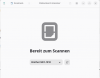
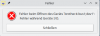
Es gibt Treiber und die lassen sich auch einrichten dann kann ich den Drucker sehen aber was nicht geht ist der Scanner.
Bei der Installation sagt mir das System auch das der CRUPS Treiber bei der nächsten Version den installierten nicht mehr unterstützen wird.
Der Drucker wird wohl dann auch nicht mehr benutzbar sein vermute ich.

Wir bekomme ich den Scanner zum laufen ?
Muss ich mir einen neuen Laserdrucker kaufen ?

Unter Debian 13 funktioniert alles und er sagt auch nichts davon das er nicht mehr unterstützt werden würde.
 

Anhänge

Zuletzt bearbeitet:

tomfa

Member
Guten Morgen!

Das Gerät ist über USB verbunden?
Zeige uns doch vorerst die Ergebnisse von:
Code:
lsusb
(Bei eingeschaltetem Gerät)

Code:
zypper se -si brscan4 mfc1810 glibc libavahi-client3 libavahi-common3 libgobject-2_0-0 libgtk-2_0-0
und
Code:
scanimage -L
 

nogaro

Member
lsusb


Bus 001 Device 001: ID 1d6b:0002 Linux Foundation 2.0 root hub
Bus 001 Device 002: ID 04f9:02d1 Brother Industries, Ltd MFC-1810
Bus 001 Device 003: ID 8087:0aa7 Intel Corp. Wireless-AC 3168 Bluetooth
Bus 002 Device 001: ID 1d6b:0003 Linux Foundation 3.0 root hub
Bus 003 Device 001: ID 1d6b:0002 Linux Foundation 2.0 root hub
Bus 003 Device 002: ID 062a:4102 MosArt Semiconductor Corp. Wireless Mouse
Bus 003 Device 003: ID 1017:a003 Speedy Industrial Supplies, Pte., Ltd Skiller SGK4
Bus 003 Device 004: ID 1462:7c37 Micro Star International MYSTIC LIGHT
Bus 003 Device 005: ID 05e3:0608 Genesys Logic, Inc. Hub
Bus 003 Device 006: ID 1e71:2007 NZXT NZXT USB Device
Bus 003 Device 007: ID 1a40:0101 Terminus Technology Inc. Hub
Bus 003 Device 008: ID 058f:6362 Alcor Micro Corp. Flash Card Reader/Writer
Bus 003 Device 009: ID 1c4f:0002 SiGma Micro Keyboard TRACER Gamma Ivory
Bus 003 Device 010: ID 045e:0779 Microsoft Corp. LifeCam HD-3000
Bus 004 Device 001: ID 1d6b:0003 Linux Foundation 3.0 root hub
Bus 005 Device 001: ID 1d6b:0002 Linux Foundation 2.0 root hub
Bus 006 Device 001: ID 1d6b:0003 Linux Foundation 3.0 root hub

zypper se -si brscan4 mfc1810 glibc libavahi-client3 libavahi-common3 libgobject-2_0-0 libgtk-2_0-0
S | Name | Type | Version | Arch | Repository
---+---------------------------------+-------+--------------+--------+-----------------------
i+ | brscan4 | Paket | 0.4.11-2 | x86_64 | (Systempakete)
i+ | glibc | Paket | 2.43-4.3 | x86_64 | Haupt-Repository (OSS)
i | glibc-devel | Paket | 2.43-4.3 | x86_64 | Haupt-Repository (OSS)
i | glibc-extra | Paket | 2.43-4.3 | x86_64 | Haupt-Repository (OSS)
i | glibc-gconv-modules-extra | Paket | 2.43-4.3 | x86_64 | Haupt-Repository (OSS)
i | glibc-lang | Paket | 2.43-4.3 | noarch | Haupt-Repository (OSS)
i | glibc-locale | Paket | 2.43-4.3 | x86_64 | Haupt-Repository (OSS)
i | glibc-locale-base | Paket | 2.43-4.3 | x86_64 | Haupt-Repository (OSS)
i | libavahi-client3 | Paket | 0.8-45.2 | x86_64 | Haupt-Repository (OSS)
i | libavahi-common3 | Paket | 0.8-45.2 | x86_64 | Haupt-Repository (OSS)
i | libgobject-2_0-0 | Paket | 2.88.3-1.1 | x86_64 | Haupt-Repository (OSS)
i | linux-glibc-devel | Paket | 7.1-1.1 | x86_64 | Haupt-Repository (OSS)
i+ | mfc1810cupswrapper | Paket | 3.0.1-2 | i386 | (Systempakete)
i+ | mfc1810lpr | Paket | 3.0.1-2 | i386 | (Systempakete)
i | patterns-glibc-hwcaps-x86_64_v3 | Paket | 20230201-3.7 | x86_64 | Haupt-Repository (OSS)
und
scanimage -L

evice `brother4:bus1;dev1' is a Brother MFC-1810 USB scanner
 

Sauerland

Member
Steht doch im Post #3
Nö.
Da fehlt überall die komplette Eingabezeile, z.B.
Code:
stephan@linux64:~> lsusb
Bus 004 Device 004: ID 0bda:8153 Realtek Semiconductor Corp. RTL8153 Gigabit Ethernet Adapter
Bus 004 Device 003: ID 0bda:0411 Realtek Semiconductor Corp. Hub
Bus 004 Device 002: ID 05e3:0626 Genesys Logic, Inc. Hub
Bus 004 Device 001: ID 1d6b:0003 Linux Foundation 3.0 root hub
Bus 003 Device 007: ID 0e8d:1887 MediaTek Inc. Slim Portable DVD Writer
Bus 003 Device 008: ID 0c4b:0501 Reiner SCT Kartensysteme GmbH cyberJack RFID comfort dual interface smartcard reader
Bus 003 Device 005: ID 0bda:5411 Realtek Semiconductor Corp. RTS5411 Hub
Bus 003 Device 003: ID 05e3:0610 Genesys Logic, Inc. Hub
Bus 003 Device 006: ID 14cd:125d Super Top Mass Storage Device
Bus 003 Device 004: ID 1ea7:0064 SHARKOON Technologies GmbH 2.4GHz Wireless rechargeable vertical mouse [More&Better]
Bus 003 Device 002: ID 1a40:0101 Terminus Technology Inc. Hub
Bus 003 Device 001: ID 1d6b:0002 Linux Foundation 2.0 root hub
Bus 002 Device 001: ID 1d6b:0003 Linux Foundation 3.0 root hub
Bus 001 Device 003: ID 046a:b090 CHERRY Keyboard
Bus 001 Device 002: ID 0c46:64ab WaveRider Communications, Inc. USB Live camera
Bus 001 Device 001: ID 1d6b:0002 Linux Foundation 2.0 root hub
stephan@linux64:~>
Daran sehe ich z.B.
lsusb wurde im Verzeichnis /home/stephan als User stephan ausgeführt.

Bei manchen Befehlen (z.B. scanimage) macht es etwas aus, ob man es als User ausführt oder als root.
Daher ist die komplette Eingabezeile wichtig.

Starte in der Konsole als User einmal:
Code:
brsaneconfig4
Versuche zu scannen und poste einmal die Ausgaben incl. der Eingabezeile.....
 
Oben